Community
 Video Library
 Agent Training
 Freshservice
 Freshdesk
 Freshchat
 Freshcaller
 Freshsales
 Freshteam
 Freshworks Neo
 Freshsurvey
Configure Time Management
Time Management enables administrators to control how agents track and submit work hours through weekly timesheets. By configuring these settings, you can standardize effort logging, automate time tracking, and define when agents can or cannot add time entries.
Set up Time Management settings
Follow the steps below to configure Time Management:
Go to Admin > Global Settings > Agent Productivity > Time Management.
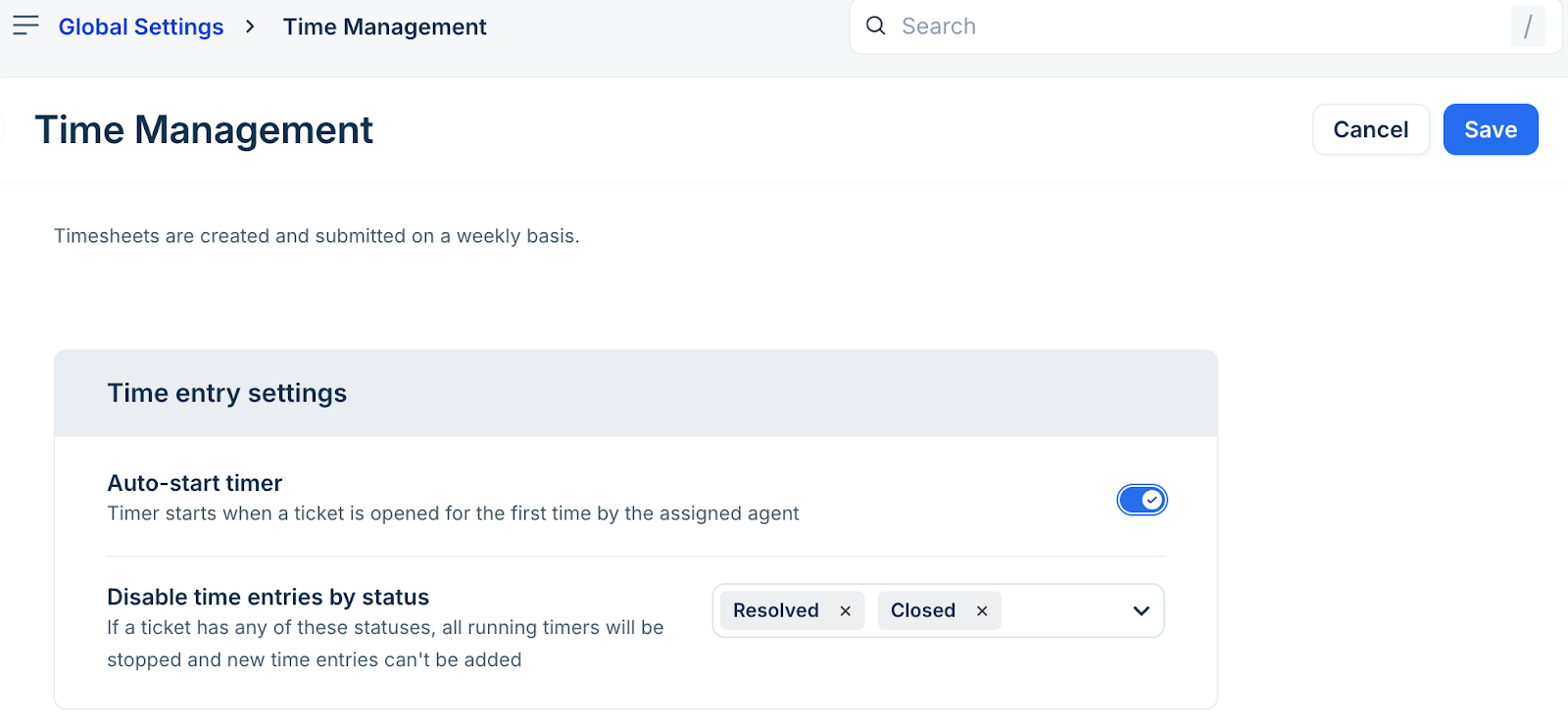
In the Time Management page, configure the following:
a. Enable the Auto-start timer toggle to automatically start a timer when the assigned agent opens a ticket for the first time.
In the Disable time entries by status dropdown, select the ticket statuses where time logging should not be allowed.
Note: When a ticket moves to any of these statuses:All running timers are stopped automatically.
Agents cannot add new time entries for that ticket.
Click Save.