
 Community
 Video Library
 Agent Training
 Freshservice
 Freshdesk
 Freshchat
 Freshcaller
 Freshsales
 Freshteam
 Freshworks Neo
 Freshsurvey
Microsoft Teams administrators can rebrand or customize the Servicebot app to align with their organization’s branding and internal requirements. This includes updating the app’s name, descriptions, icons, and colors.
TABLE OF CONTENTS
- Customize app properties
- Steps to customize the Microsoft Teams app
- Reset app details to default
- Additional information
Customize app properties
You can modify the following properties of the Servicebot app:
- Short name
- Short description
- Full description
- Color icon
- Outline icon
Steps to customize the Microsoft Teams app
Follow these steps to customize the app:
Note: Only one Microsoft Teams instance can be connected to the Servicebot. This instance must be the MSP’s own Microsoft Teams tenant, enabling MSP agents to manage tickets across all supported clients as well as tickets from the MSP’s contacts who also require support.
- Go to https://admin.teams.microsoft.com and sign in using your admin credentials.
- Navigate to Teams Apps > Manage apps.
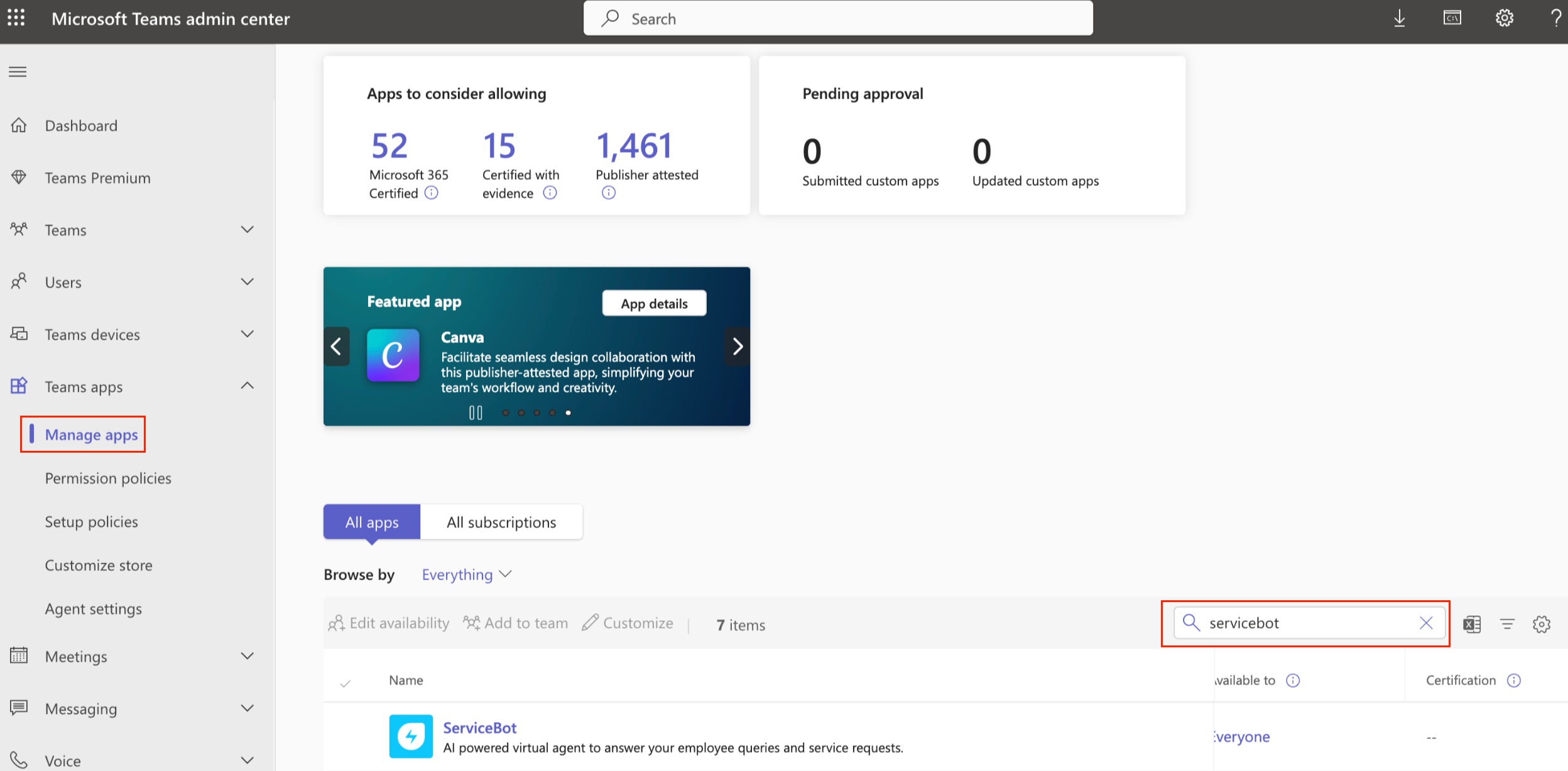
Search for Servicebot in the list of applications and select the app name to open the app details page.
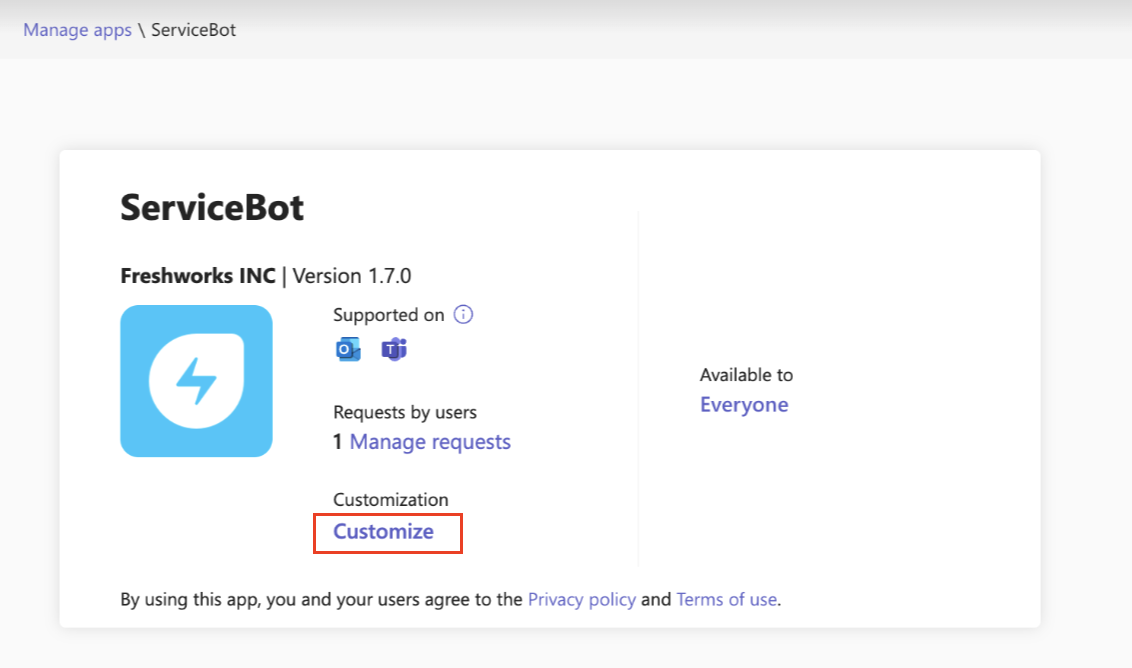
- Click Customize to edit the app.
- In the Edit Customization window, update the fields you want to customize, such as the app name or description.
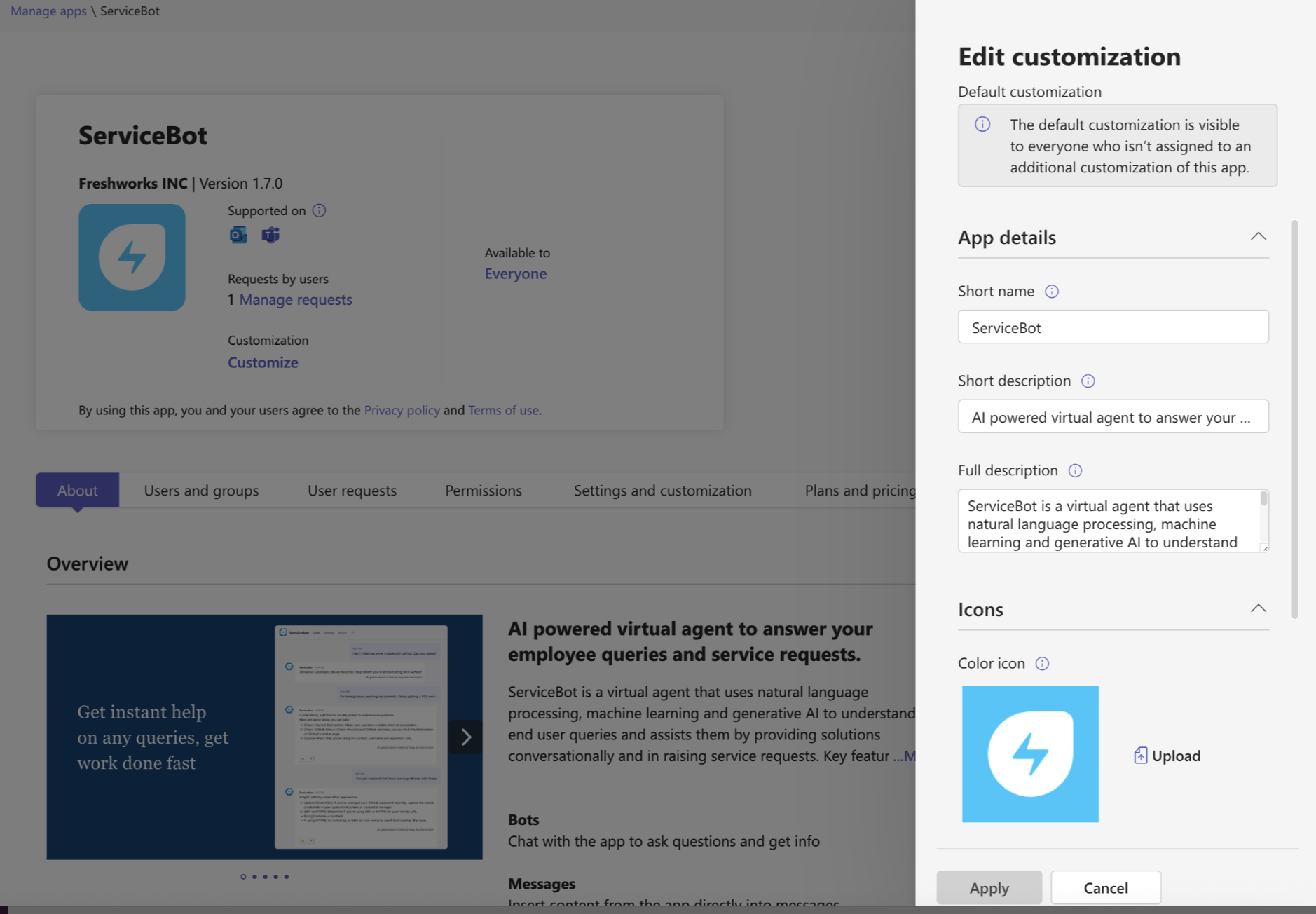
Note: Admins can see the customized details immediately in the Teams Admin Center. However, it may take up to 24 hours for users to see these updates in their Teams client. Expand the Icon section and upload your organization’s logo. Follow these format requirements:
Color icon size: 192x192 pixels
Outline icon size: 32x32 pixels
File format: PNG
Outline icon must have a transparent background
Select Apply, then Publish to make the customized version available.
Note: The app usage report will continue to display the original app name provided by the publisher, even after customization.
Once published, the customized app will appear under Manage apps in the Teams Admin Center. Users in your organization can access the customized app directly from their Teams client.
Note: Only a single version of the app is maintained. Clones are not created.
Reset app details to default
To revert the app to its original settings:
Go to Teams Apps > Manage apps.
Select the customized app.
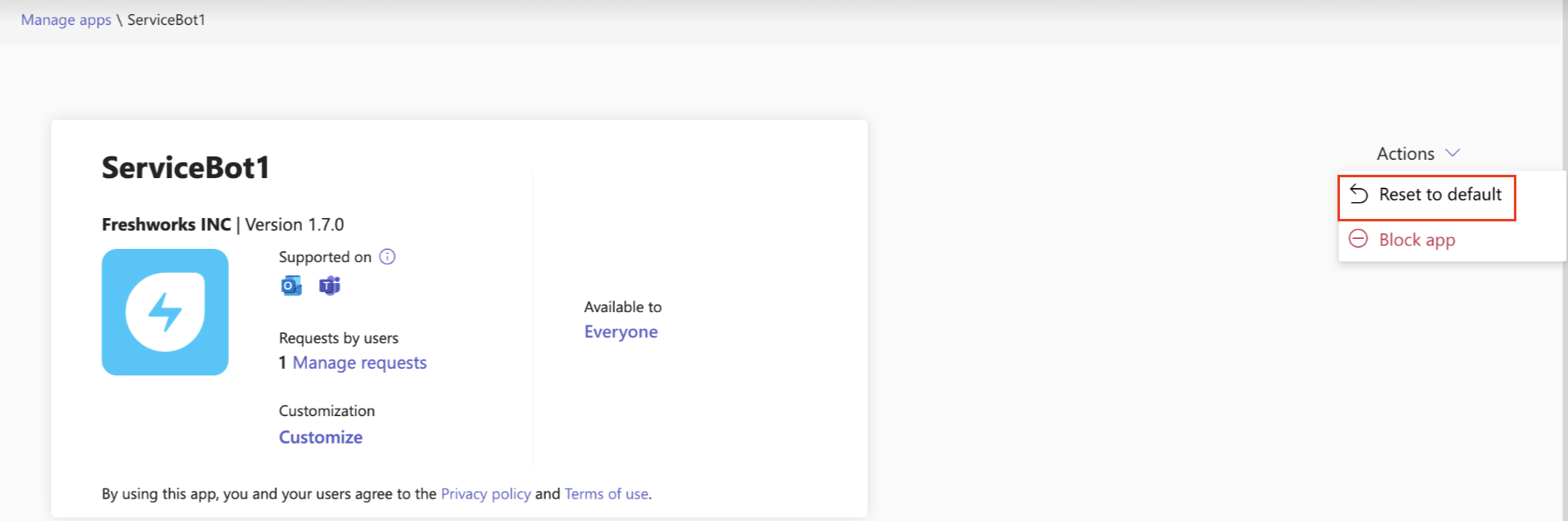
From the Actions dropdown, select Reset to default.
Additional information
For more information, refer to Microsoft’s documentation:
Customize apps in the Teams Admin Center